The Archiving Options tab is where the system is instructed how to handle the successfully imported files.
1.Click the Archiving Options tab.
A dialog similar to the following displays:
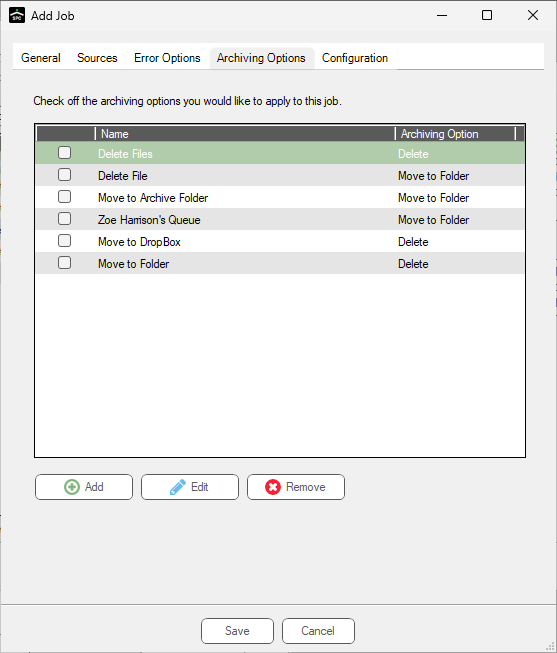
2.Click Add, Edit or Remove to select, edit or deselect archive options.
For each archive option selected, an Archiving Option Properties dialog requiring specific information based on the archive option displays.
The following archive options are available:
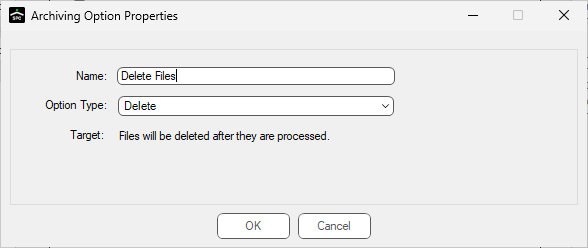
• Delete - Delete the files after successful import.
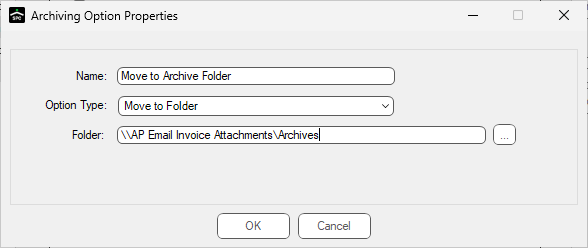
• Move to Folder - Indicate a folder to where imported files move.
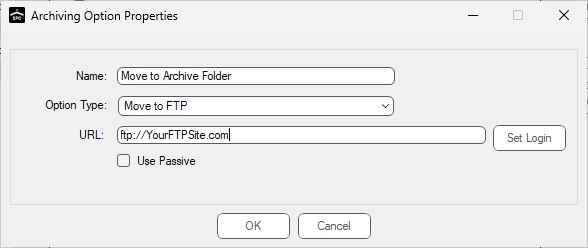
• Move to FTP - Indicate an FTP site to where imported files move.
• Move to DropBox - Indicate a DropBox to where imported files move.
Delete Files option
Move to Folder option
Move to FTP option
Move to DropBox option
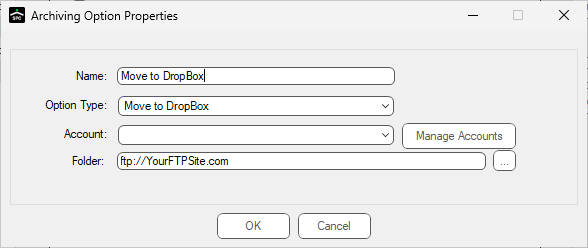
3.Enter the appropriate information in the Archiving Option Properties dialog(s).
4.Click OK.
The Sources tab dialog re-displays.
5.Continue by clicking the Configuration tab.