Security Groups represent departments and other operating units of the company that process documents, such as Accounts Payable, Payroll, Purchasing, Project Management. If the vault is the electronic file room, Security Groups are the keys to the filing cabinets. There may be certain "filing cabinets" that hold confidential documents such as Payroll/HR documents that only certain people should be allowed to access. In this instance you would create a Payroll/HR Security Group with permissions to those document types and assign those few users to that group.
Use Security Groups to determine what document types and reports users can access, and what permissions the users have with those documents (i.e., indexing, distributing, etc.).
Adding a Security Group
Note: If adding security groups as part of adding a Vault, the Vault Properties dialog systematically displays with the Security Groups tab active. Click here for details.
1. From the ribbon toolbar, click Administration.
2.Click Vaults.
The Vaults dialog similar to the following displays:
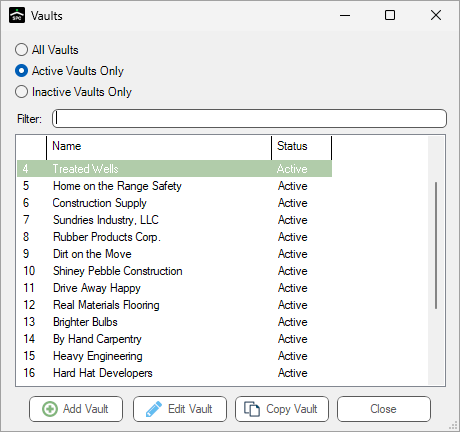
3.Click to highlight the vault for which the Security Group is being added, if necessary.
4.Click Edit Vault.
The Vault Properties dialog similar to the following displays with the General tab active:
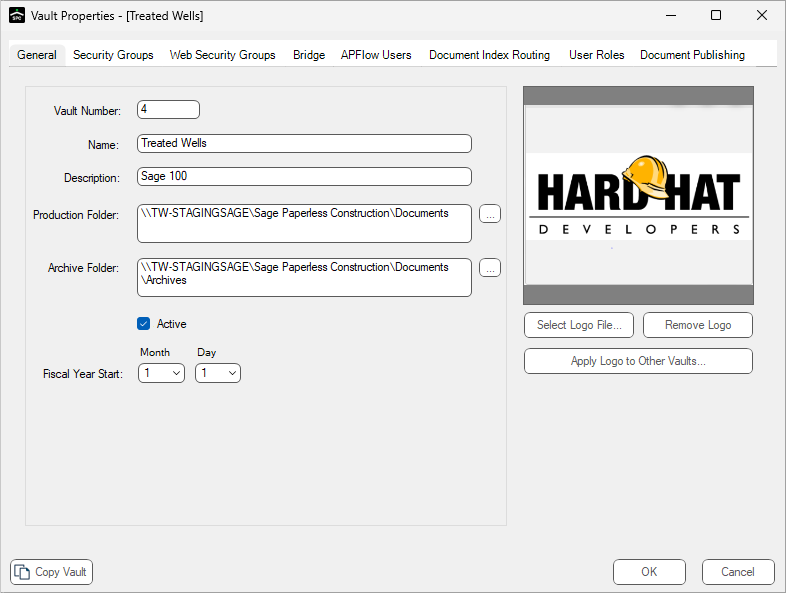
5.Click the Security Groups tab.
The dialog similar to the following displays:
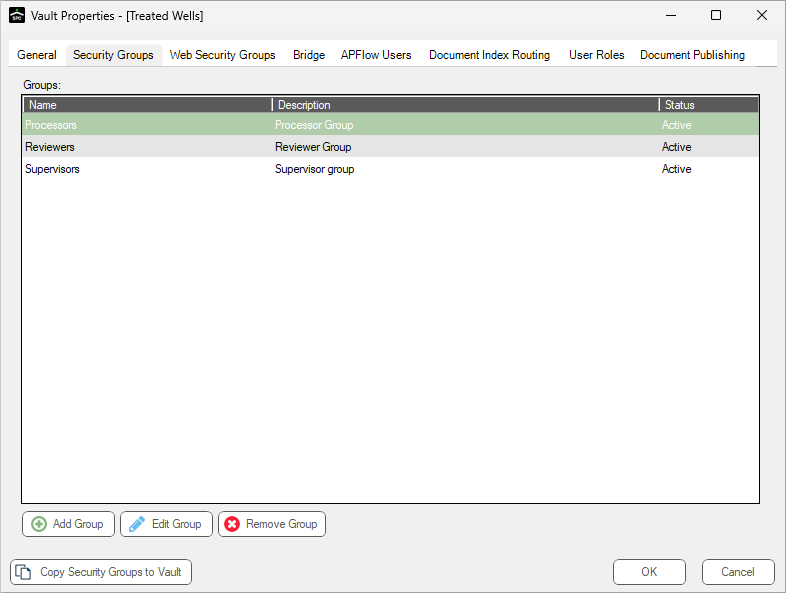
6.Click Add Group. See Create Security Group, Wizard dialog 1 for details.