Users are added here so individuals may be assigned to security groups with specific permissions in new or existing vaults.
1.From the ribbon toolbar, click Administration.
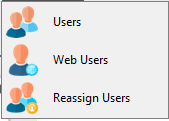
2.Click the Users dropdown.
3.Click Users.
The User Accounts dialog similar to the following displays:
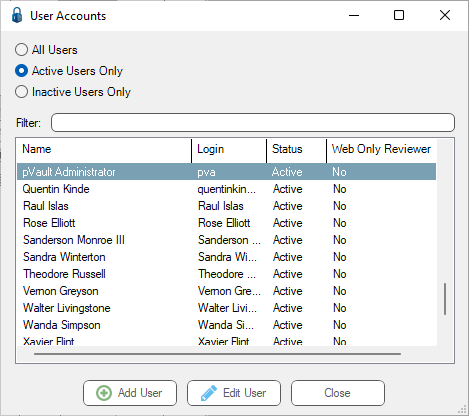
There is a Filter text field where you can start to enter a user to narrow the list.
4.Start typing in the Filter field to narrow the list similar to the following:
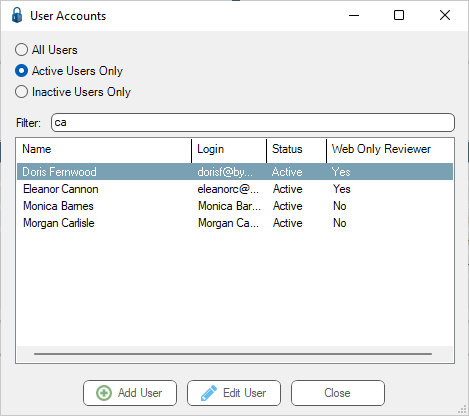
Not only can you filter on the Name column entries, but you can also filter on the Login column entries too.
5.Click Add User.
The first Add User Wizard dialog displays:
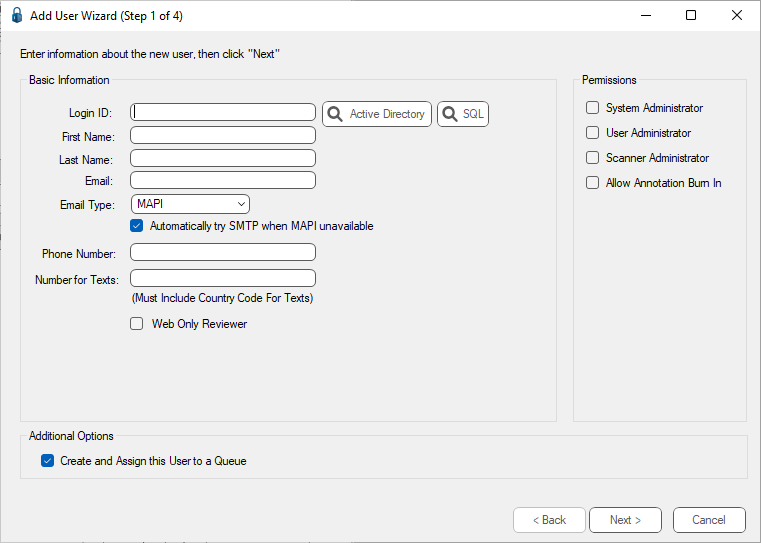
There are 2 types of pVault® system Login IDs:
• Windows Authenticated users
Uses the normal Windows domain user information for password authentication. This is the recommended user type. The Windows Authenticated user, currently logged into Windows on the PC, is the user who logs into pVault. Passwords are controlled by the company’s domain, so a separate password for pVault is not required. Document viewers (i.e. pVault Tiff Printer Driver) automatically log in with the current user's Window’s credentials without needing to log into pVault every time.
• SQL Server Authenticated users
Uses the password setup in the pVault SQL server for authentication. Passwords are maintained on the SQL server and can be changed through the pVault system. Users who use external document viewers (i.e. pVault Tiff Printer Driver) are required to log into pVault every time the viewer is loaded.
For details on setting up a Windows Authenticated user, click here.
For details on setting up a SQL Server Authenticated user, click here.