Navigation: Greenlight Compliance Manager™ > Company Level > Info/Contacts
Editing Company Info
1.From the ribbon toolbar, click Greenlight.
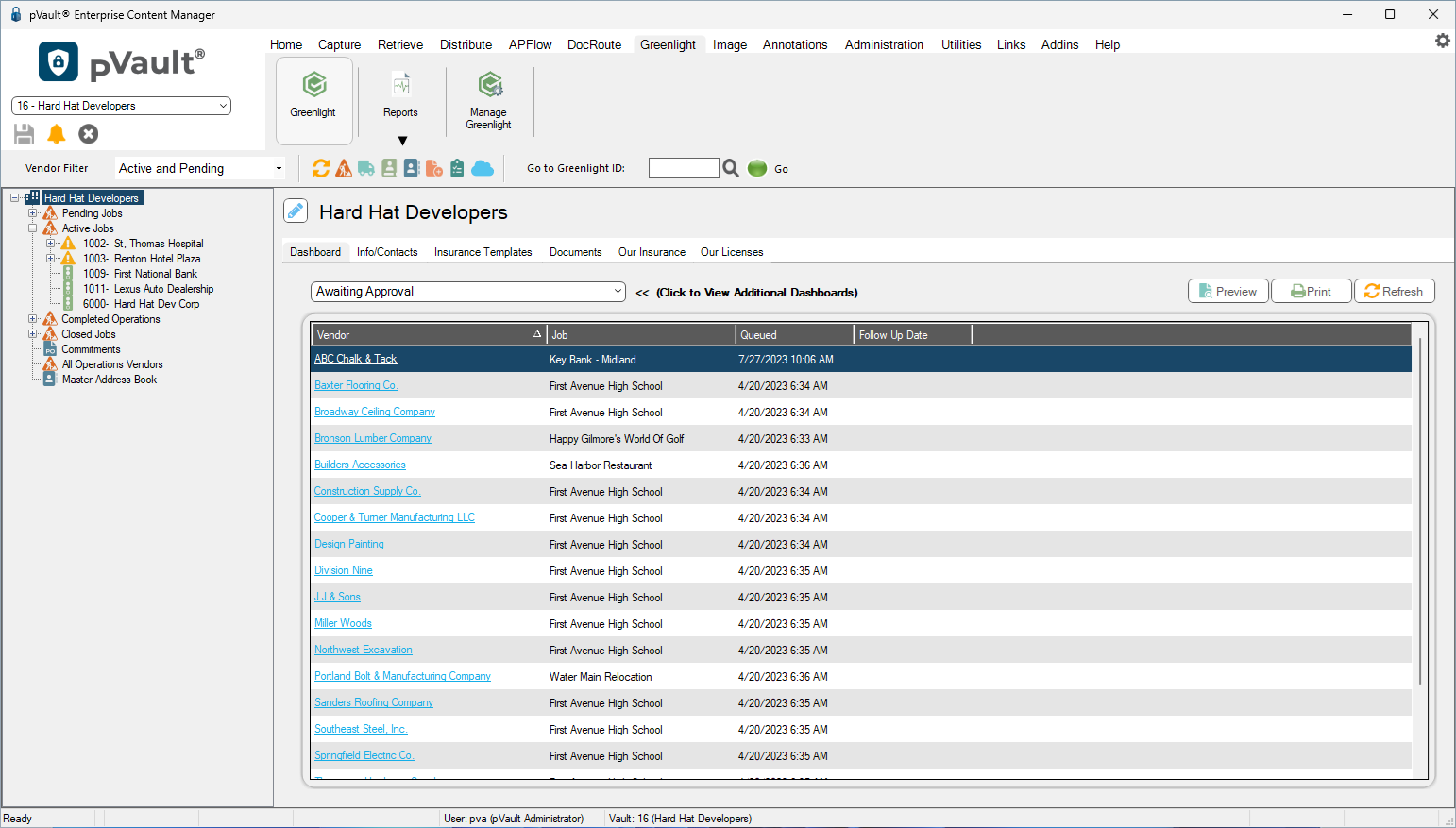
2.Click Greenlight. The main screen displays with the Dashboard tab active:
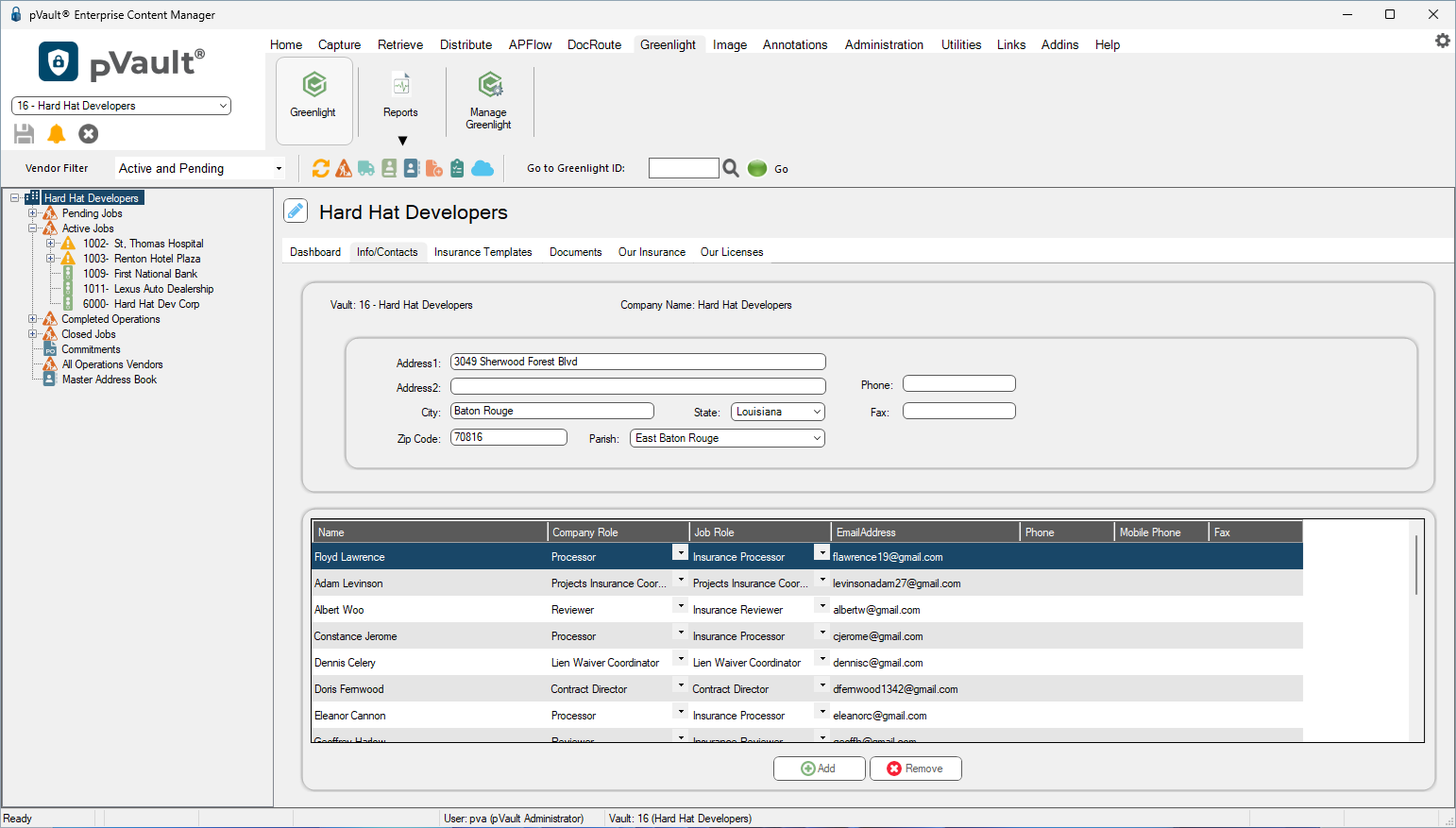
3.Click the Info/Contacts tab. A screen similar to the following displays:
4.Update any fields that need revising.
5.Click Save.