Note: Accessibility to both the Payment Manager and Check Review modules is controlled by the Payment Manager role permissions. Click here for details.
When you click the Check Review toolbar icon, the following sidebar displays:
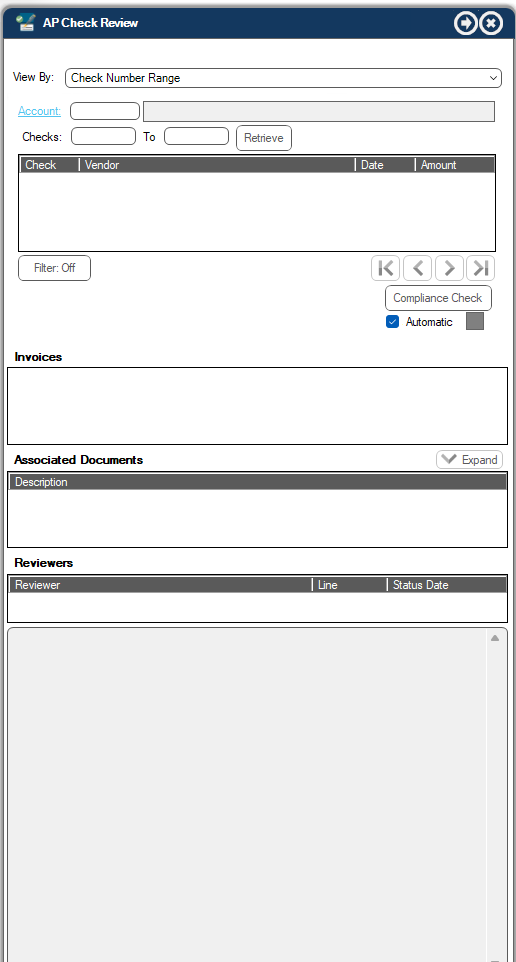
In the View By field, use the dropdown to select what output to display:
Check Number Range
Check Batch
Electronic Payment
The remaining sidebar grids, text boxes and fields may or may not be modified depending on what you select in the View By field dropdown.
Check Number Range |
Click Account to select the bank account. |
Enter the check range and then click Retrieve. |
|
Click Compliance Check to manually check if the vendors are in compliance. |
|
Check Batch |
Click Batch to select the available batch. |
Click Retrieve. |
|
Click Compliance Check to manually check if the vendors are in compliance. |
|
Electronic Payment |
Click Bank Account to select the bank account. |
Click Batch to select the available batch. |
|
Click Retrieve. |
|
Click Compliance Check to manually check if the vendors are in compliance. |
No matter the View By field selected, the following grids display:
•The invoices paid within the range of checks or batch you selected display in the Invoices text box.
•The documents related to the selected invoice display in the Associated Documents text box.
•The reviewers who were involved in the invoice/document review display in the Reviewers text box. For each reviewer listed, the line to which they were assigned displays as well as the status and date.