When you use the Generate Waivers dialog to generate multiple waivers for a job, you can email the waiver forms from there as well.
Important: You are not able to view the lien waiver form before sending the email.
1.Click here for the Mass Lien Waiver Generation steps.
2.Once the lien waiver is generated, access the Generate Waivers dialog:
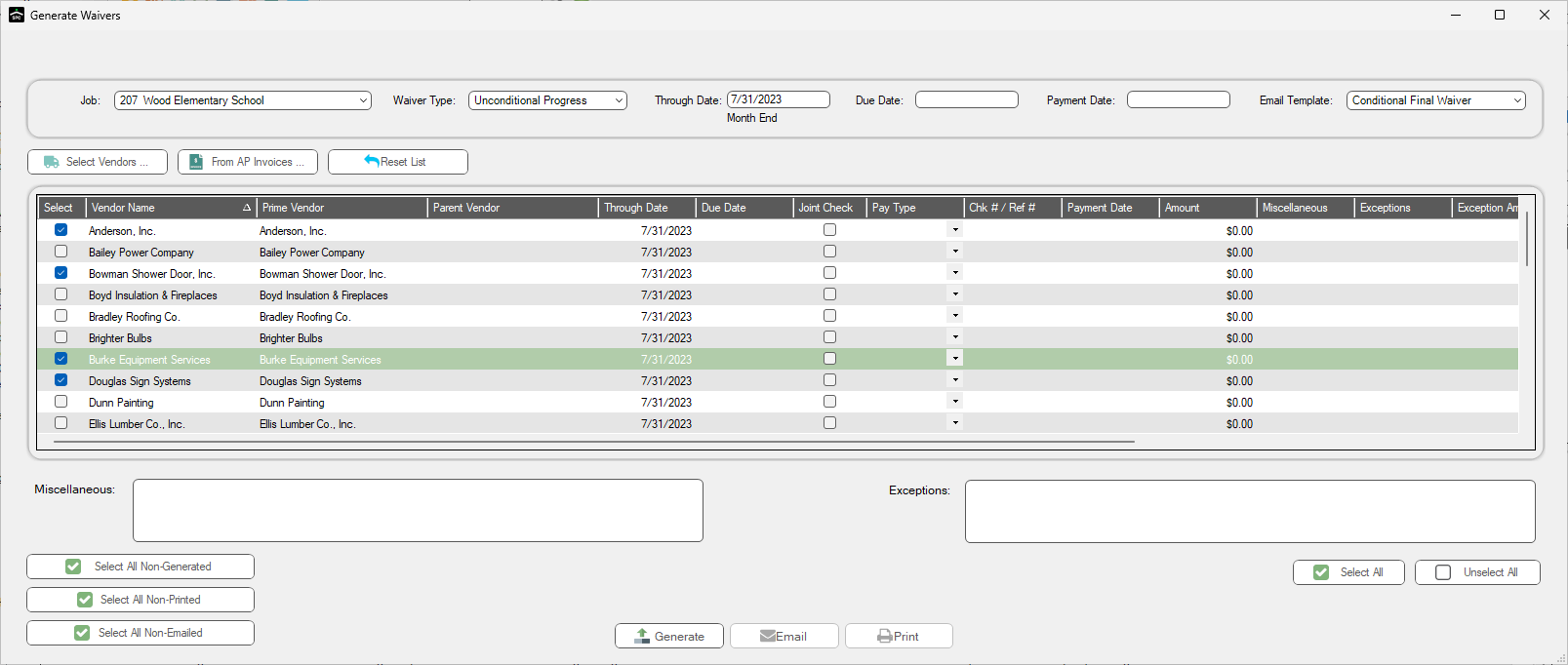
3.Verify that the Waiver Type field and the Email Template field match. Use the field dropdowns if necessary.
4.Make sure that the vendors have checkmarks in their associated Select column check boxes.
5.Click Email.
If the email successfully generates, a checkmark systematically displays for each vendor in the Emailed column.
Note: If there is no contact associated with the vendor, an email does not generate.