The Sources tab contains the path of the folder to "watch".
1.Click the Sources tab.
A dialog similar to the following displays:
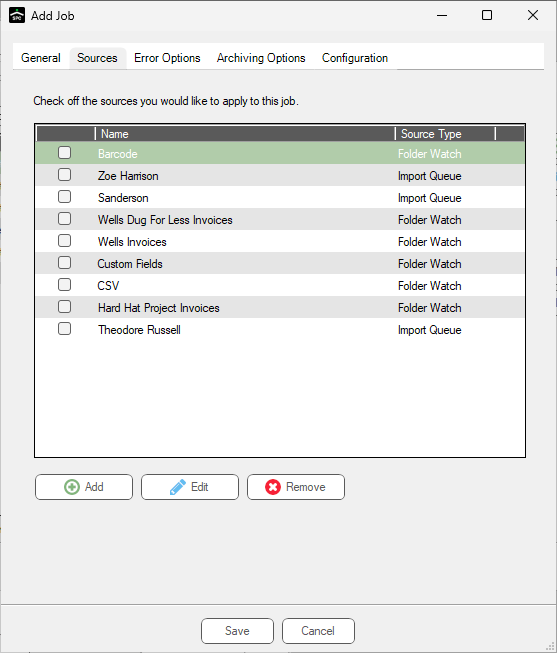
2.Click Add.
The Source Properties dialog displays:
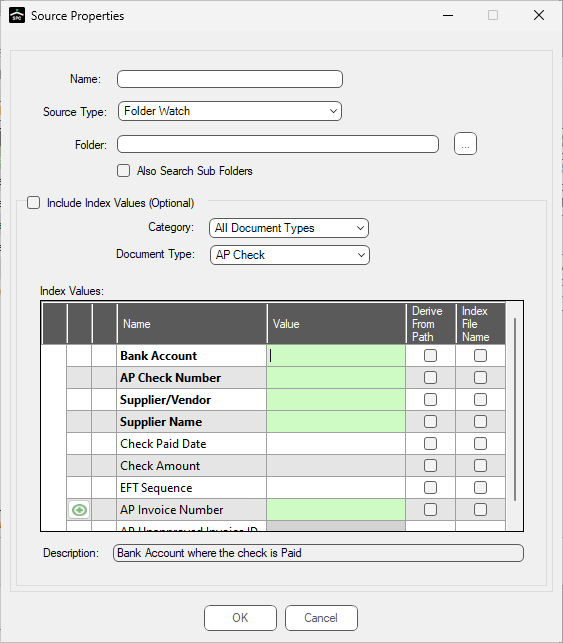
3.In the Name field, enter a meaningful name for the folder source.
4.In the Source Type field, use the dropdown to select one of the following:
• Folder Watch (Requires a network folder be identified. Browse to select the network folder to be watch.)
• FTP (Requires an FTP site to import from be identified in the URL field.)
• DropBox
5.Continue by clicking the Error Options tab.
For details on Folder Watch, click here.
For details on FTP, click here.
For details on DropBox, click here.