In this wizard dialog you select those individuals who are assigned in this security group.
The third Create Security Group wizard dialog similar to the following displays:
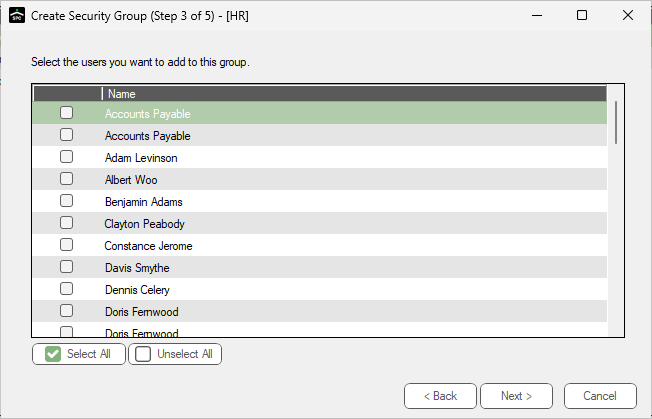
1.Click the appropriate check boxes to select those Sage Paperless Construction users who should belong to this new security group.
Note: If all listed individuals should be assigned to this security group, click Select All.
2.Click Next. For the next wizard dialog details, click here.