The Follow Up Dates feature allows you to organize which vendors are contacted.
1.From the ribbon toolbar, click Greenlight CM™.
2.Click Greenlight.
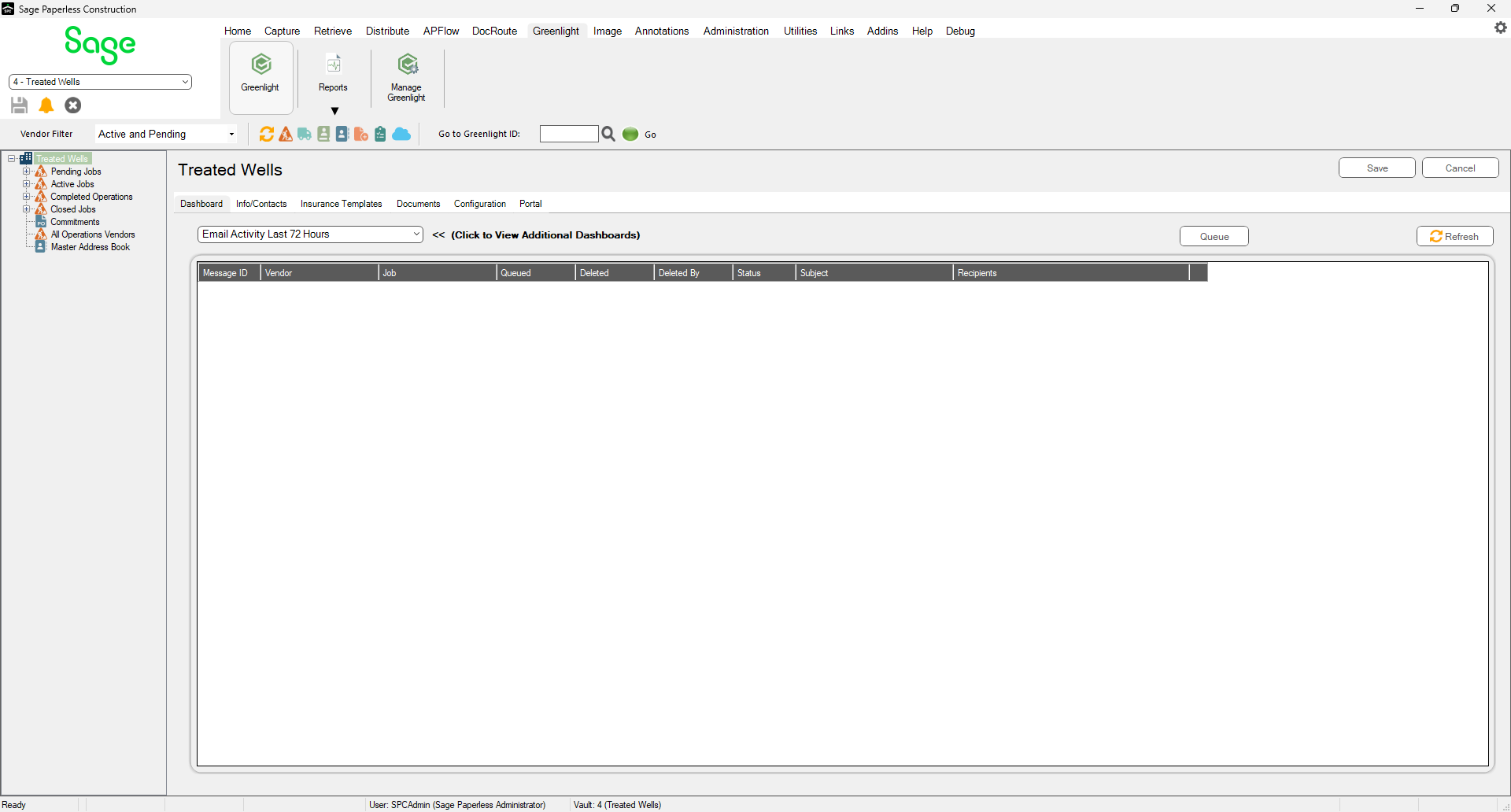
The main screen displays with the Dashboard tab active:
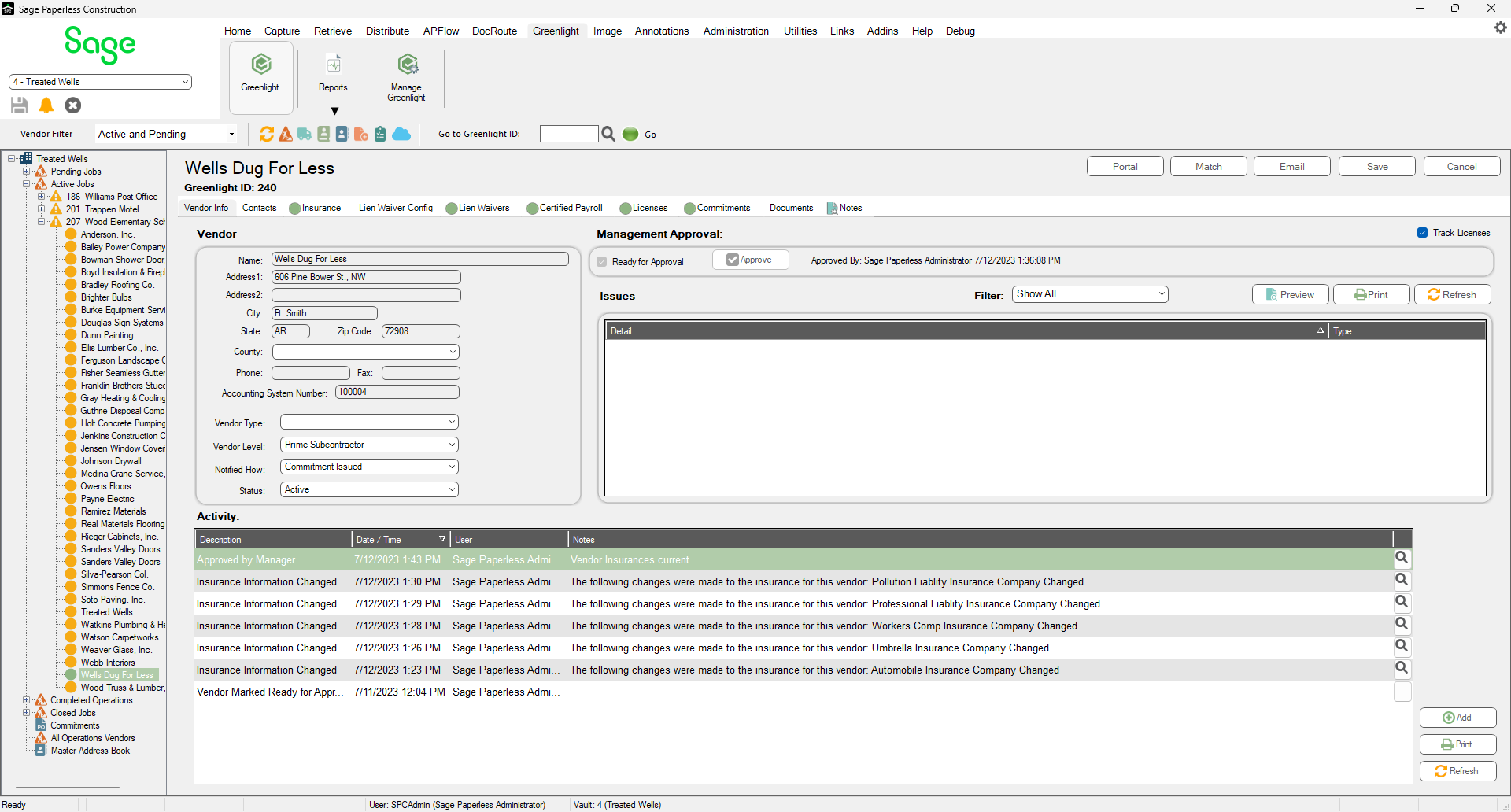
3.In the left navigation bar, click on a vendor.
The following screen displays with the Vendor Info tab active:
4.Click the Insurance tab.
The following screen displays:
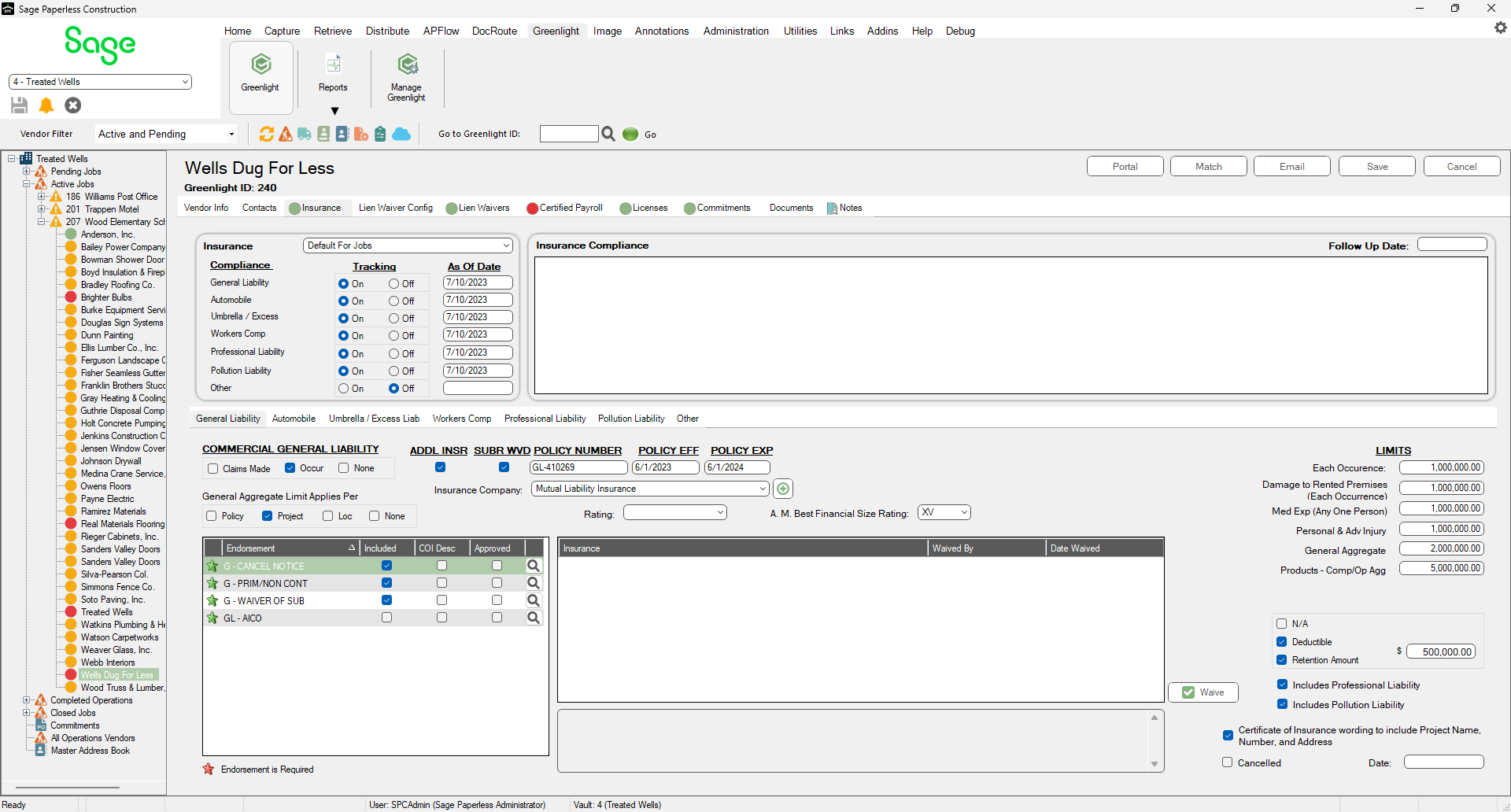
5.For any unresolved vendor compliance issues, enter a date to revisit the issue in the Follow Up Date field.
6.Click Save.
A green indicator light displays on the Out of Compliance dashboard (on the Company level screen) as a visual cue that the compliance issue was handled and is now resolved.
A red indicator light displays on the Out of Compliance dashboard (on the Company level screen) as a visual cue that the compliance issue still exists, or if the Follow Up Date has passed without proper resolution.