The Import Invoices dialog box includes a Status After Importing option. The available choices below the Status After Importing vary, based on selected status.
Incomplete
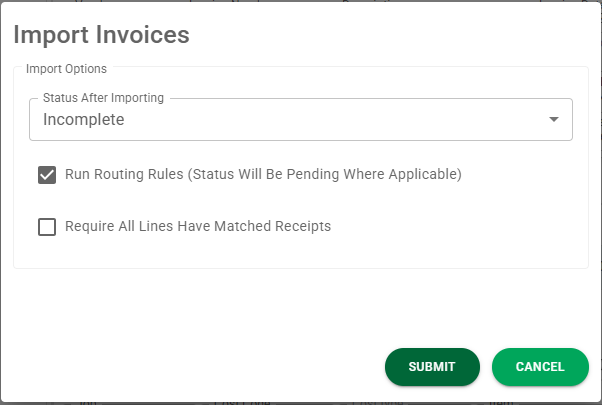
• Run Routing Rules (Status Will be Pending Where Applicable)
If this option is selected, Routing Rules will occur systematically and the status will change to Pending.
• Require All Lines Have Matched Receipts
If this option is selected, every line must have a matched receipt.
Approved
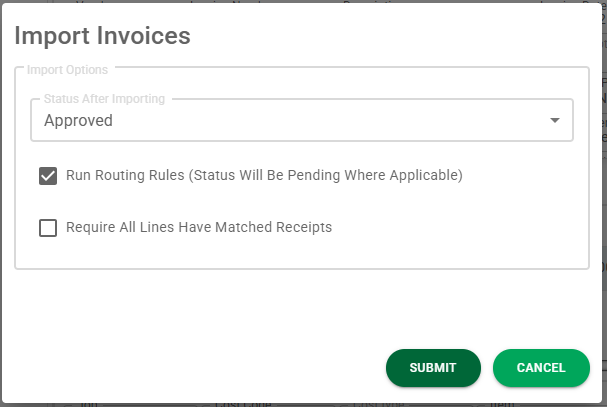
• Run Routing Rules (Status Will Be Pending Where Applicable)
This option is not available with this status.
• Require All Lines Have Matched Receipts
If this option is selected, every line must have a matched receipt.
If this option is selected, then the following option (Allow Lines with Multiple Matched Receipts) can also be selected.
Exported
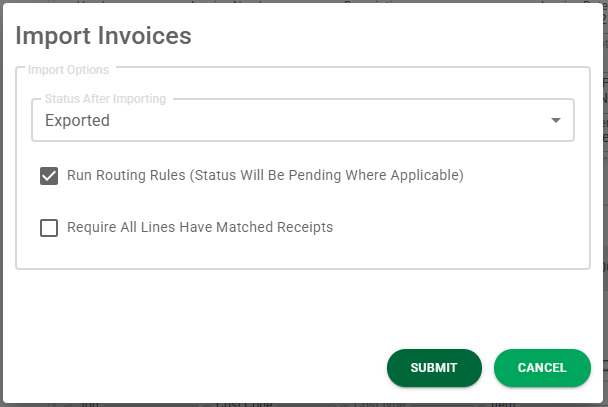
• Run Routing Rules (Status Will Be Pending Where Applicable)
This option is not available with this status.
• Require All Lines Have Matched Receipts
If this option is selected, every line must have a matched receipt.
If this option is selected, then the following option (Allow Lines with Multiple Matched Receipts) can also be selected.